.png)
Laravel Framework Integration for Nudgify
How to Install Nudgify on Laravel Framework?
It only takes a few minutes to install Nudgify on your Laravel Framework.
With Nudgify, you can add Social Proof, FOMO Nudges and many more to your Laravel Framework to boost your conversion rate.
Step 1: Copy your Nudgify Pixel code
Just sign up for Nudgify and select Add to your HTML
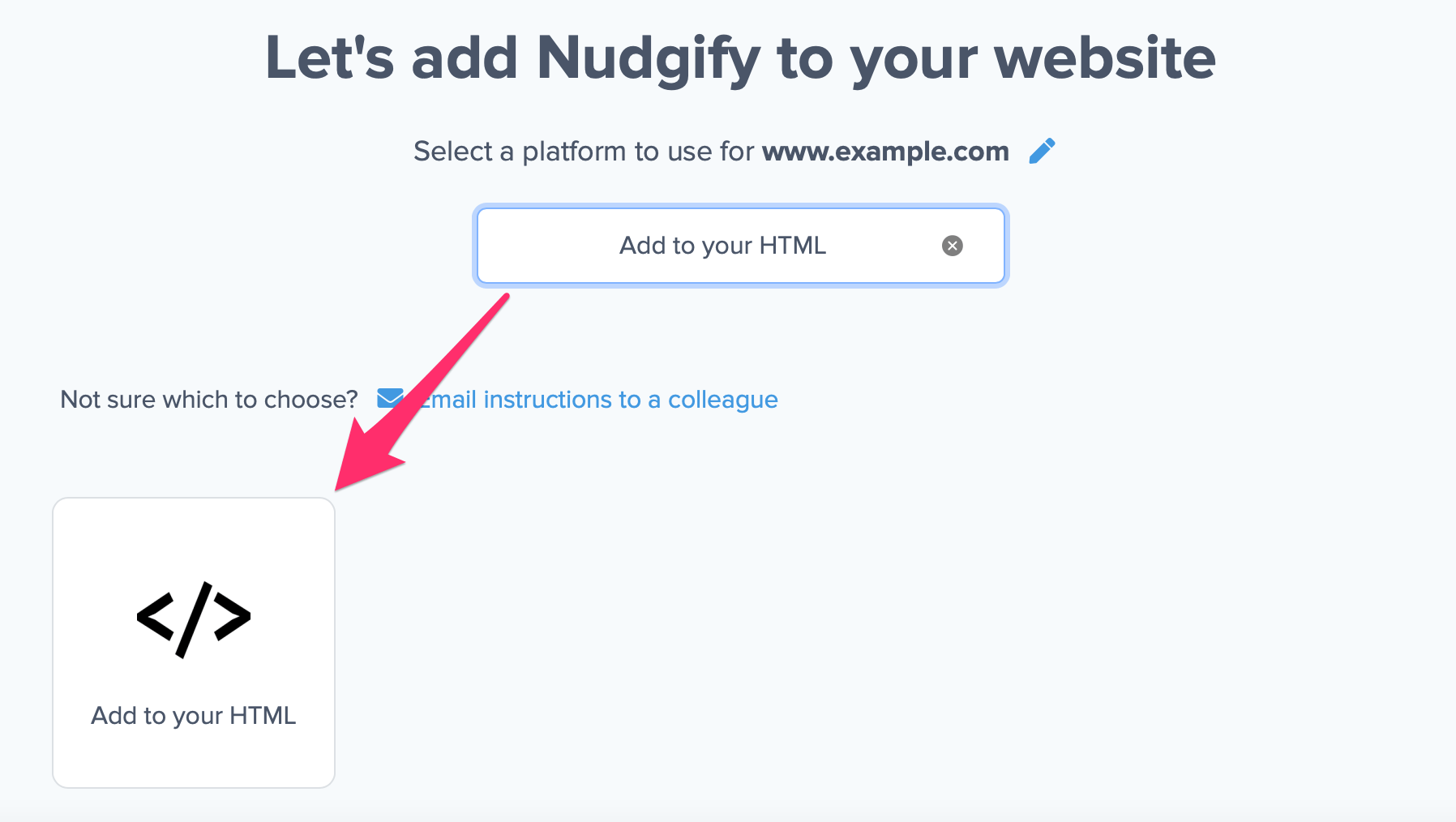
Now a window will open in which you can see a step-by-step guide on how to install your Nudgify Pixel. This Pixel is nothing more than a small line of code that you need to copy and paste into the code of your website.
Copy your Nudgify Pixel code:
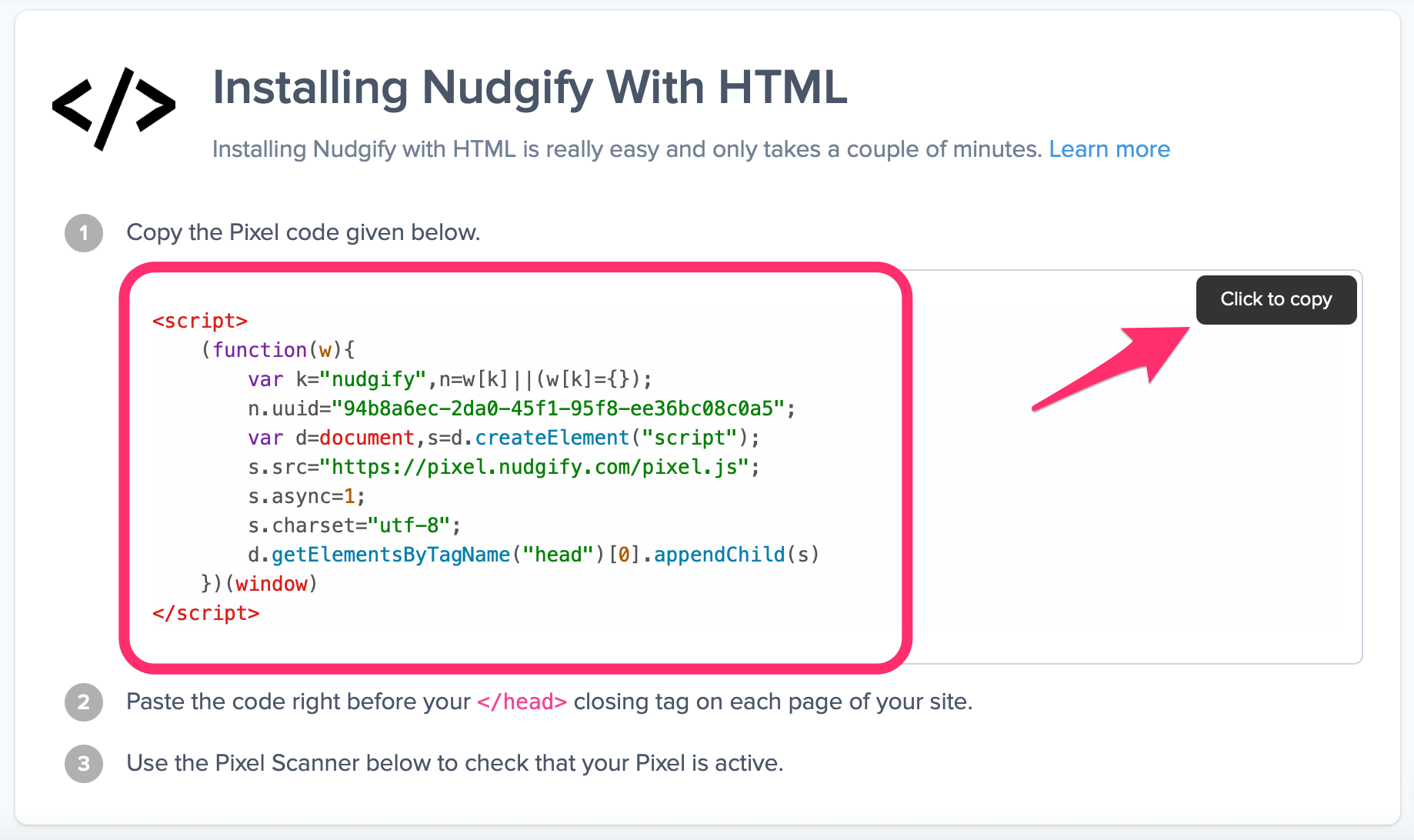
Step 2: Add the Pixel to Laravel Framework
- When using Laravel Framework, you have to add the Nudgify Pixel to your website yourself.
- In your account, open the website editor and open the source code of your website.
- Paste your Nudgify Pixel into the Header. Make sure the Nudgify Pixel is placed before any other code, as only then the Pixel can analyse all of the visitor data and can then turn this into your custom Nudges.
- Save the changes to update the source code of your website and publish your site to see the changes live.
Step 3: Check if the Pixel is installed
-
Go to your Profile icon, select Sites & Organizations, and choose the website you want to check. Then click the <> symbol and select Check Pixel to verify that the Pixel has been installed correctly.

- Do you see the green “Pixel is installed correctly” message? Congratulations, you have installed the Nudgify Pixel on your website and you will be able to see the Nudges you create on the targeted pages!
Do you not see the green “Pixel is installed correctly” message?
This means that you haven’t yet installed your Pixel. Double check that you completed all the steps to install your Pixel and try again.
Is your Pixel still not found?
Click the black bubble in the app where we can assist you 1-on-1 on setting up your Pixel.
