.png)
Close Nudges
If you are on the Lite plan or higher, you can enable a close button for your Nudges.
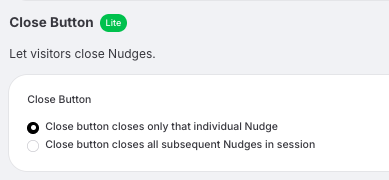
Go to Site Settings > Behaviour and scroll down to find the Close button option.
When you turn this on, a small cross will appear in the top right corner of the Nudge when visitors hover over it. This allows them to close the Nudge if they choose.
You can choose between two options:
Close button closes only that individual Nudge
Visitors close just the Nudge they clicked, and other Nudges may still appear later.
Close button closes all subsequent Nudges in the session
When a visitor closes a Nudge, no more Nudges will appear for the rest of their session.