.png)
How Are Recent Events Displayed?
Recent Activity Nudges show visitors what other people have recently done on your website, such as making a purchase, signing up for a newsletter, or subscribing to a plan.
Nudgify automatically collects this information and displays three main details:
Who
You can choose how the person is shown. This can be a name, a number, or anonymous.
Nudgify can also show the visitor’s location using geolocation. In Site Settings > Content, you can choose to show the city and country, show only the country, or hide the location completely.

What
This is the action that happened on your site, such as a purchase, a newsletter sign up, or a plan subscription. Nudgify collects this automatically through your integrations, like Mailchimp or form captures.
Showing When An Event Occurred
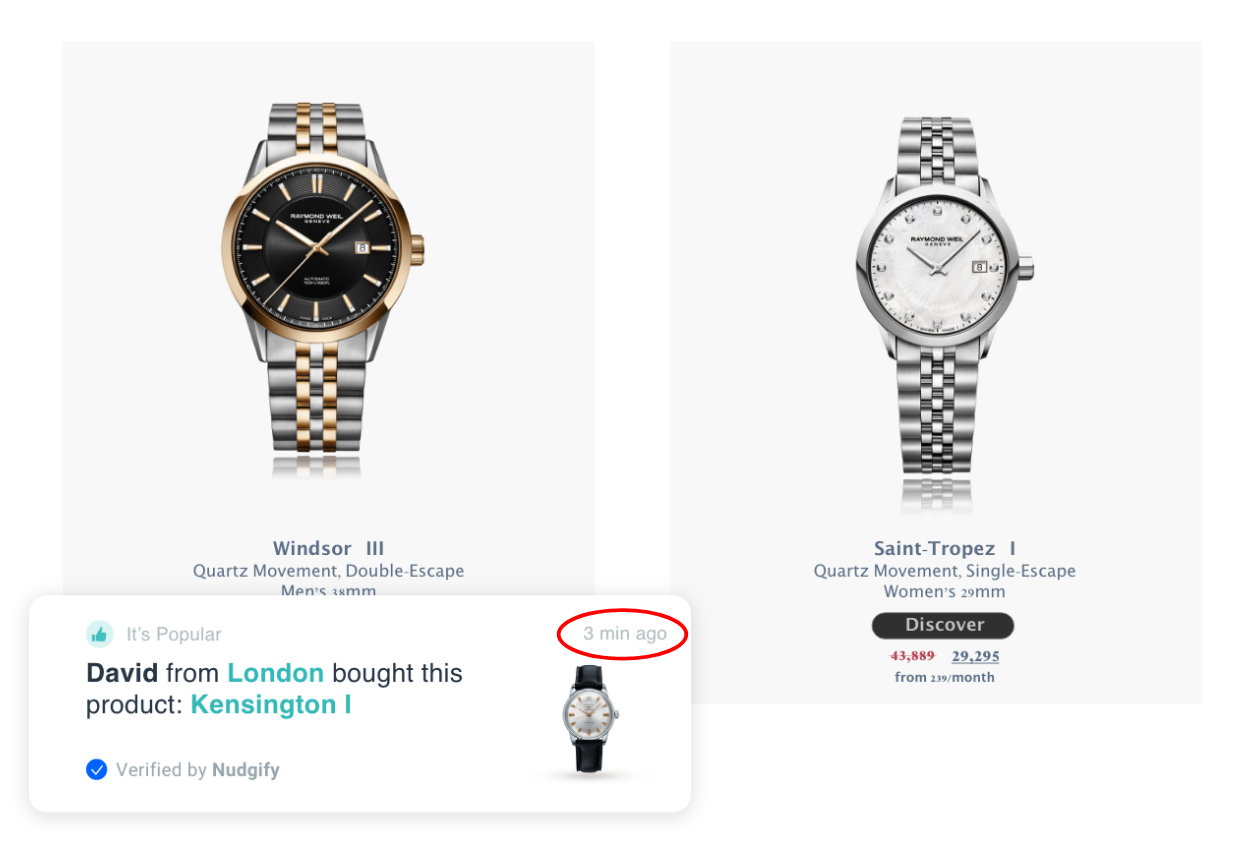
Each Nudge shows how long ago the activity happened, such as seconds, minutes, hours, days, or weeks ago. The time is always rounded down and shown in a single unit. For example, 1 minute and 10 seconds will appear as 1 min ago. If the activity happened more than 6 days ago, the Nudge will simply say recently.
Adjust Timings
You can also control how often Nudges appear and the delay between them. If you want them to show faster, you can choose Accelerated timings to reduce the waiting time between notifications.

