.png)
Accessing Your Invoices
Invoices serve as a formal record of your transactions, showing payment amounts and terms. You can also customize them to include your company name or other details required for your records. Accessing your invoices on Nudgify is simple and takes just a few steps.
The Nudgify billing works per Organization. This means that we organise your invoices per Organization as well. Read more about managing multiple Organizations in your Nudgify account.
You can view the invoices of each Organization you are the owner of via your Sites & Organizations page.
Note: Only the Organization Owner can edit settings or access invoices. If you aren’t sure of your role, check the top left corner of your dashboard; your role (Owner or Member) is displayed next to the Organization name.
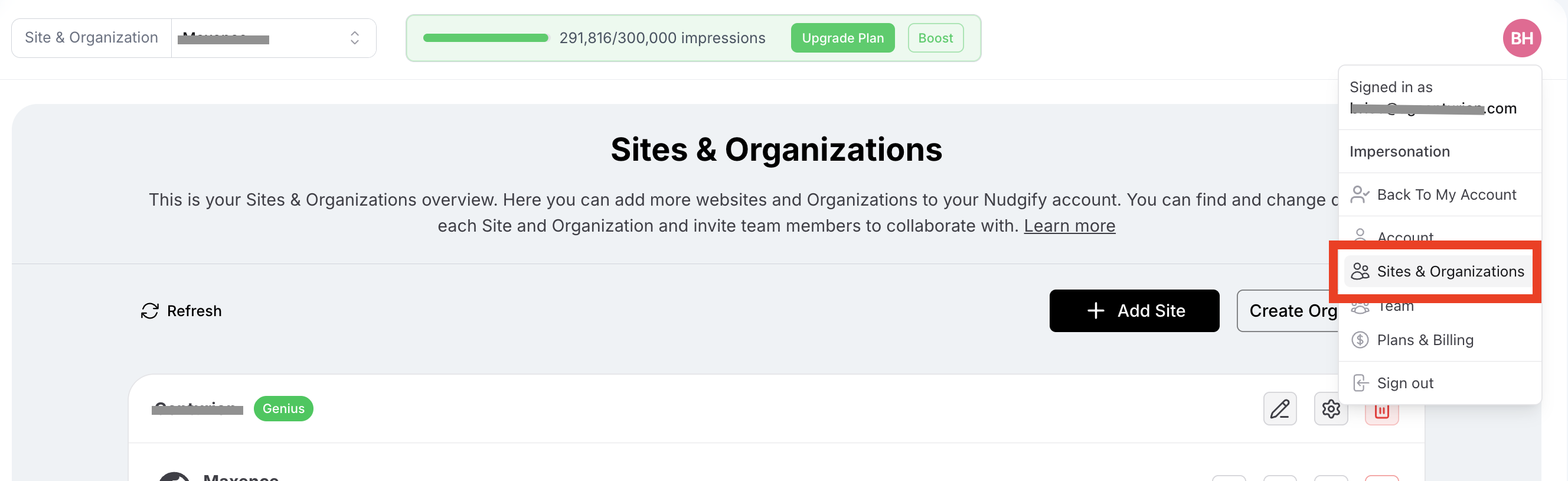
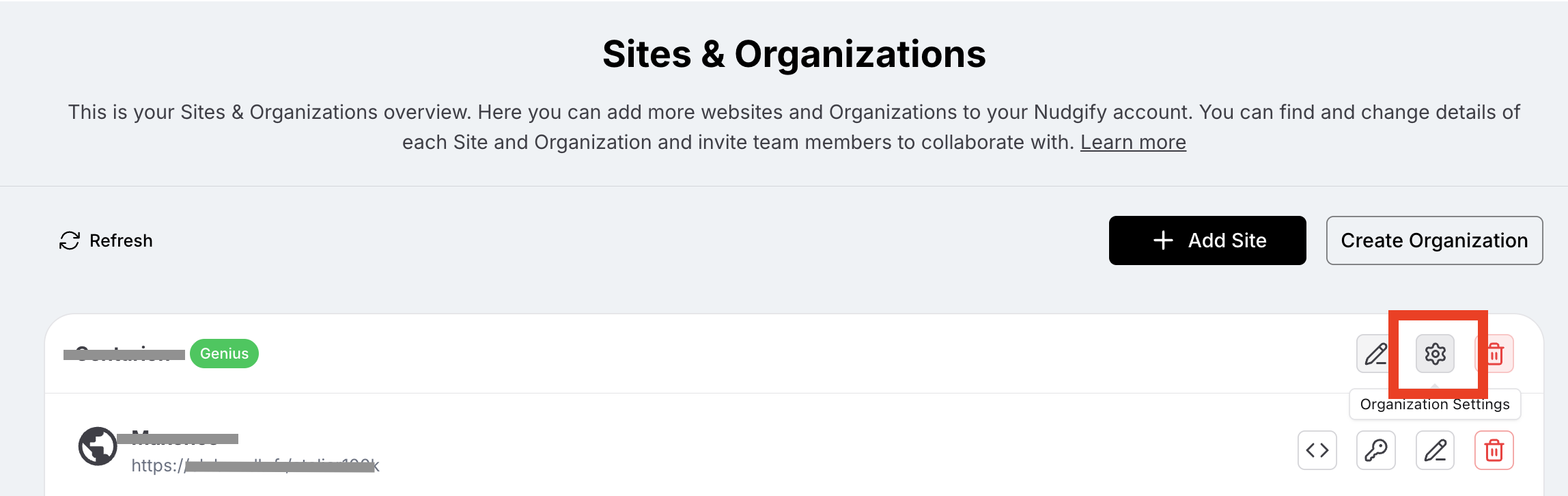
From your Sites & Organizations page, click the settings icon of the Organization you want to view in the process of accessing your invoices.
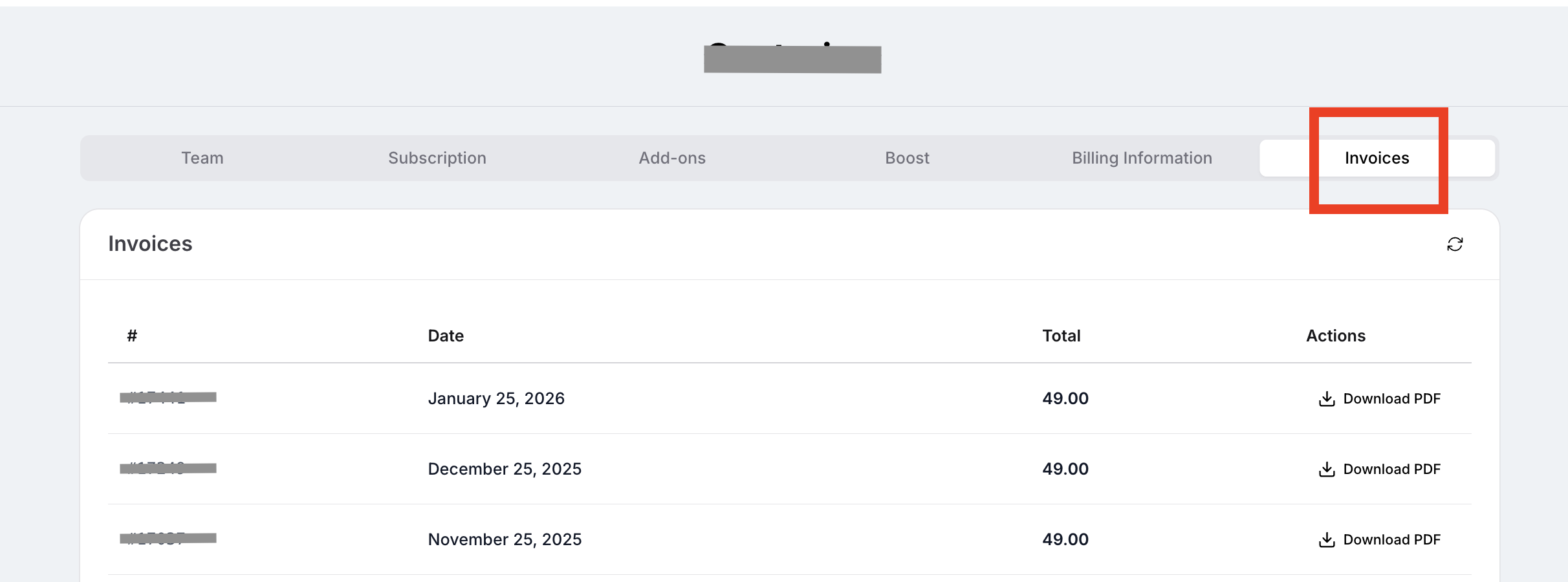
On the Organization Settings page, click the Invoices tab. From here, you can view your history and click "Download PDF" for any specific invoice.