.png)
How To Cancel Your Plan
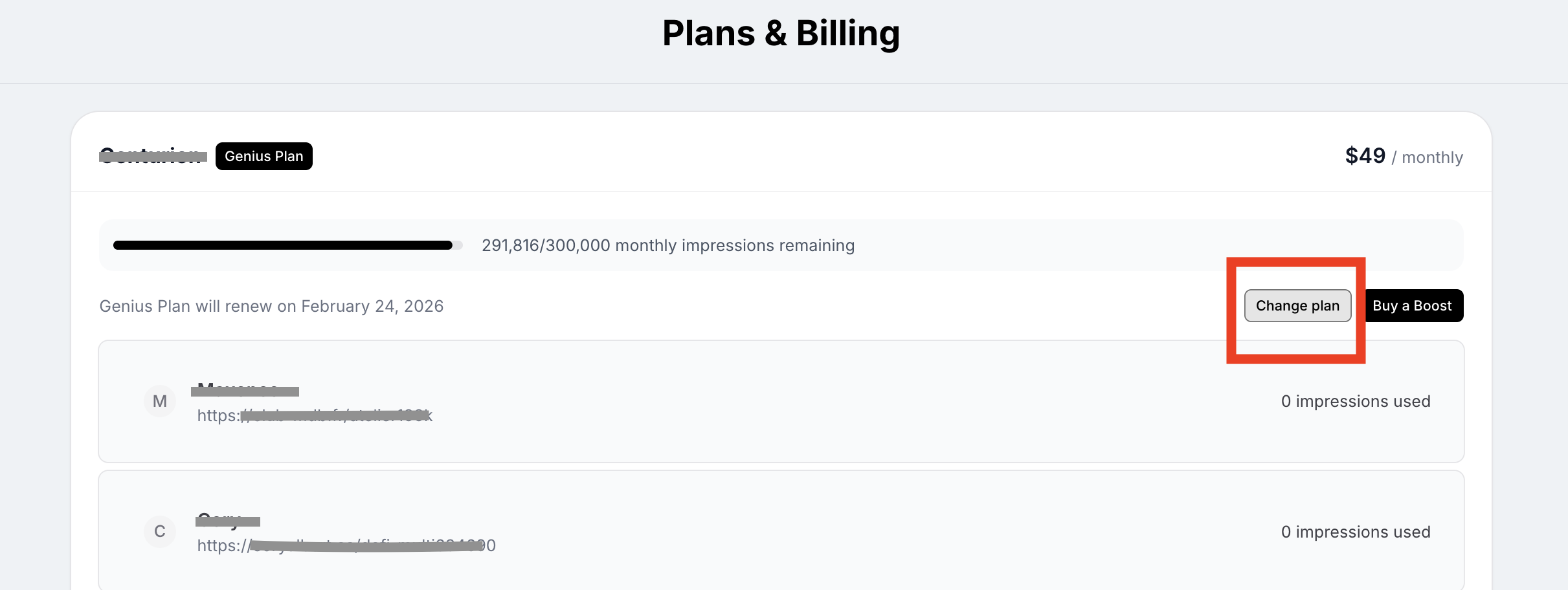
You can cancel your plan on the Plans & Billing page. Select the Organization you want to cancel your plan for, and click ‘Change plan’.
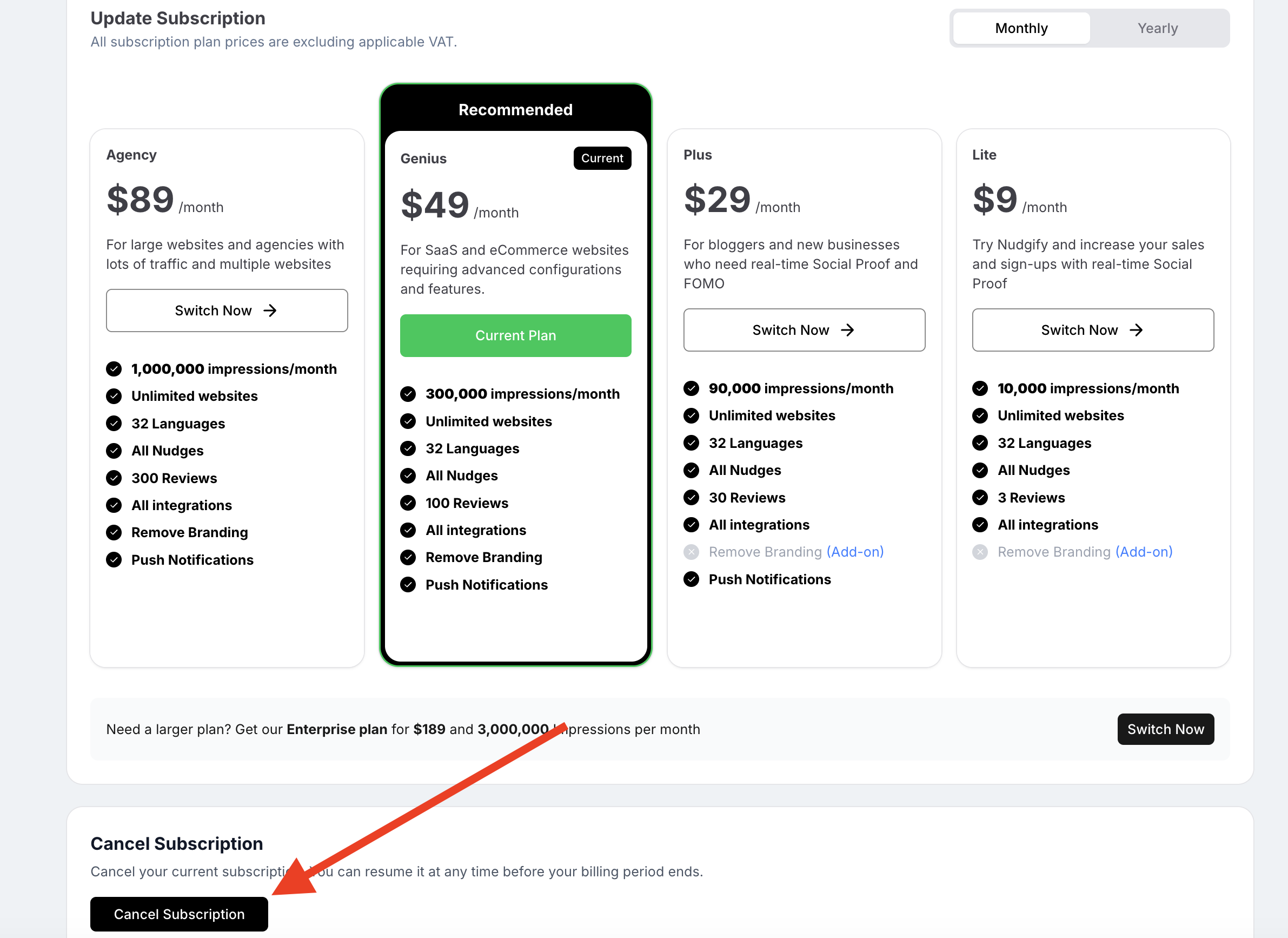
On the bottom of the Subscription page, you can click the ‘Cancel Subscription’ button to call off your Nudgify programme.
Before you finalize your cancellation, we’d love to know if there is anything we can do to change your mind. We truly value your feedback and would appreciate hearing your ideas on how we can improve!
What happens after I cancel?
- Downgrading to Free: Once your paid billing cycle ends, your account will automatically revert to our Free Plan. This plan is limited to 1,000 monthly impressions. If your traffic exceeds this limit, your Nudges will pause until the next month.
- The 7-Day Free Trial: Please note that the 7-day Free Trial cannot be canceled or paused. Once the trial period begins, it runs for 7 consecutive days. If you do not choose a paid plan by the end of the trial, your account will move to the Free Plan.
- Add-ons: When you cancel your main plan, any active add-ons (such as Visitor Boosts) will also be canceled at the end of the billing period.
- We save your settings! As long as you do not delete your Site or Organization, your Nudges and website configurations will be waiting for you if you decide to upgrade again later.
Click here for full instructions on managing your plan.
Refund policy of your Nudgify plan
You may cancel your subscription at any time, but given the nature of digital products, we unfortunately cannot refund any amounts that you have already paid. You can find more information in our Terms and Conditions.
