.png)
Why are my Nudges not showing?
If you’ve added a Nudge but it isn't appearing on your site yet, don't worry! This is usually caused by a simple setting or installation step.
- Shopify user? [Check this guide instead]
- WordPress or WooCommerce user? [Check this guide instead]
For all other platforms, follow this checklist to get your Nudges live:
1. Check your Account Status
When your Free Trial or Paid Plan expires, Nudges stop displaying immediately.
The Fix: Log in to Nudgify. If your plan has expired, you will see a warning banner at the top of your dashboard.
2. Is the Nudgify Pixel active?
The Pixel is the "brain" that tells your site to show Nudges. To check its status, navigate to Profile > Sites & Organizations > Pixel Setup. If the status isn't green, follow the on-screen instructions to re-install or verify your code.
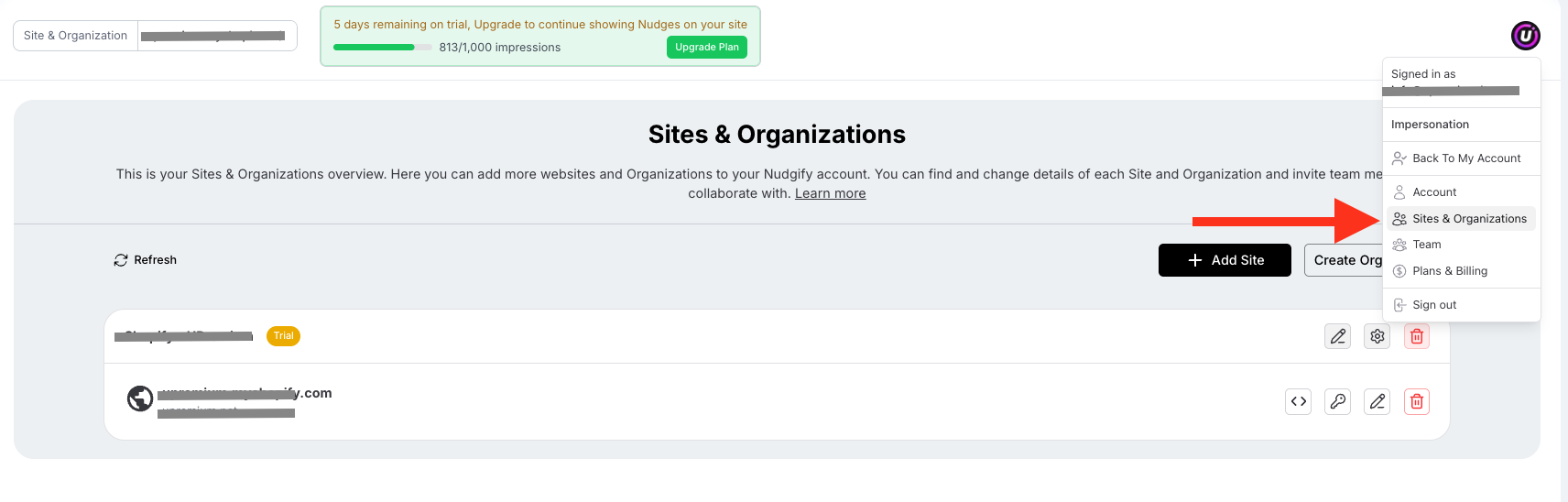
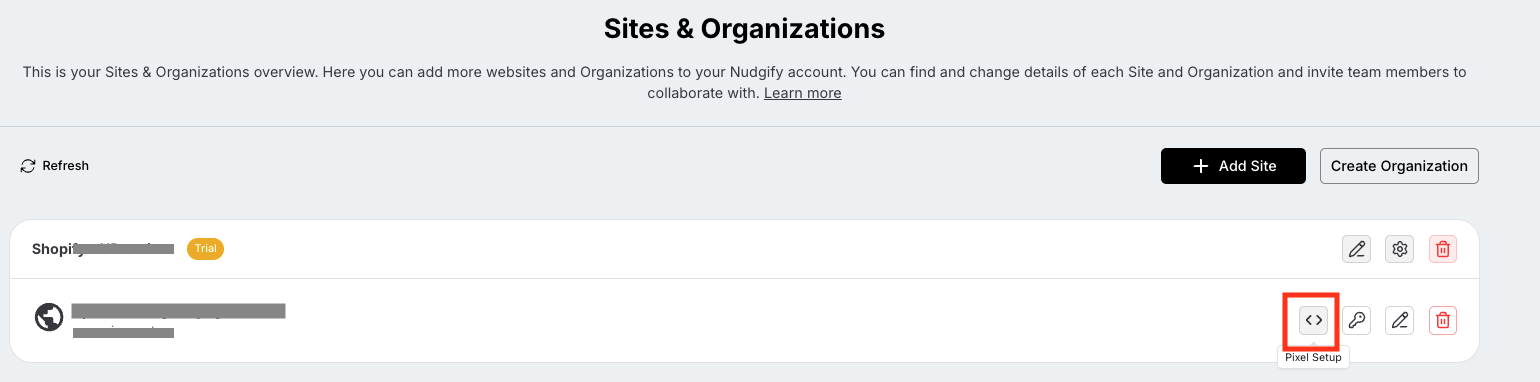
If the Pixel Checker says "Pixel not active," ensure you haven't made a typo in your Site URL (e.g., missing www ). If the URL is correct and it still won't turn green, try re-installing the code snippet.
3. Are your Nudges toggled "On"?
It sounds simple, but it’s a common oversight!
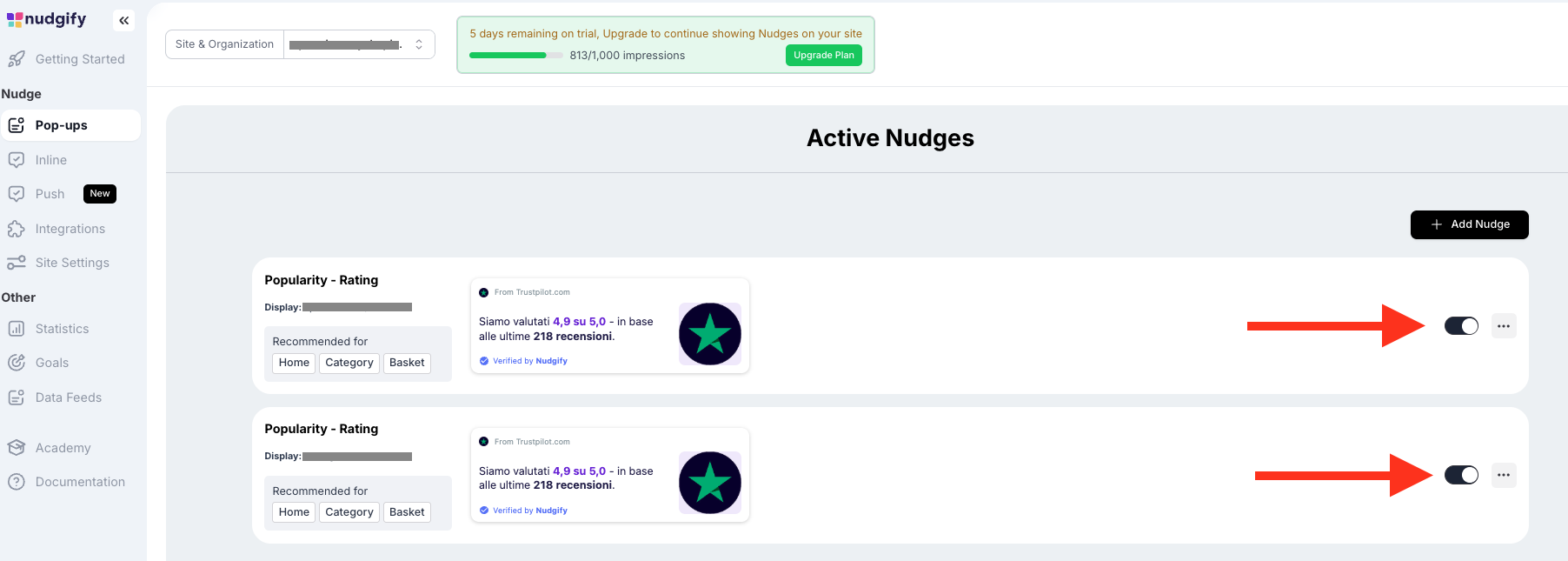
The Fix: Go to your Pop-ups. Check each Nudge to ensure the On/Off toggle is set to On.
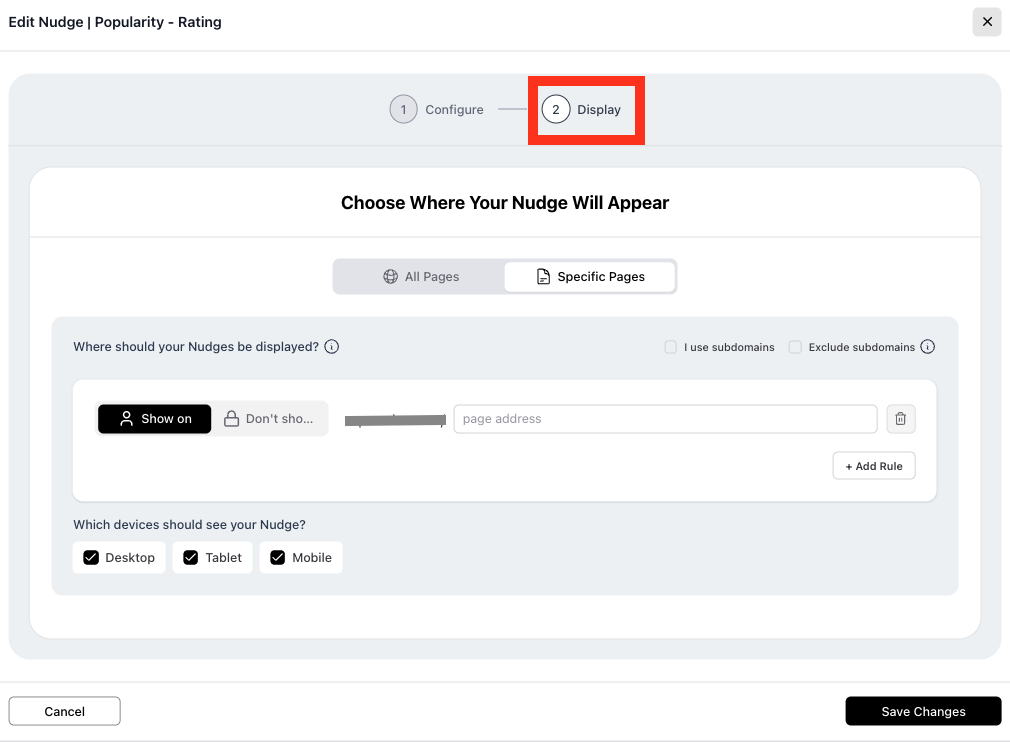
4. Are you targeting the right pages?
By default, Nudgify only shows Nudges on your Home Page.
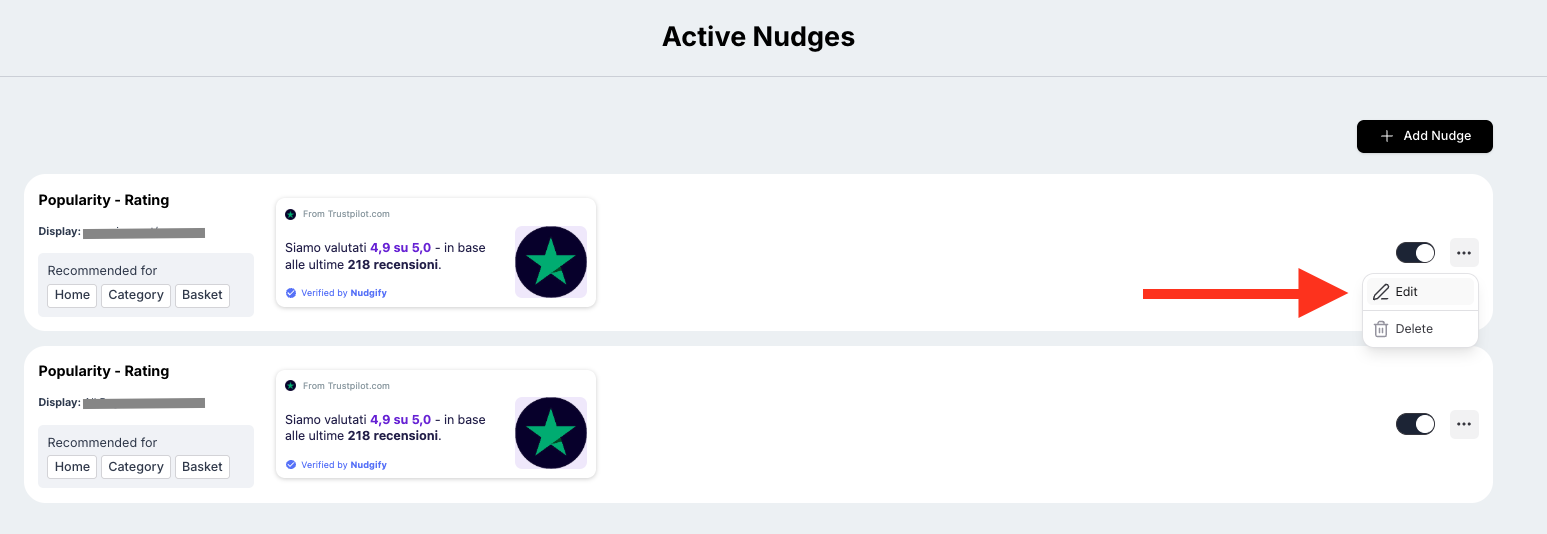
The Fix: Check your Pop-ups' Display settings.
- To show Nudges on every page, add an asterisk (
*) after your URL (e.g.,example.com/*). - If you use paid ads (UTM parameters), make sure to use the asterisk so the Nudge recognizes the URL even with the extra tracking code.
Does the Nudge have enough data?
Social Proof Nudges (like "Recent Sales" or "Recent Sign-ups") need data to work.
- No History: Nudgify only starts collecting data the moment you install it. It cannot see sales that happened before you joined.
- Minimum Requirements: Check your Nudge settings. If you set a Nudge to "Only show if there are at least 5 sales," and you’ve only had 3, it will stay hidden until you hit 5.
The Fix: Check your Data Feed in Nudgify to see if your sales or sign-ups are actually being tracked.
Clear your Website Cache
If you use a caching plugin or service (like Cloudflare or Akamai), your website might be showing an "old" version of your page from before the Pixel was installed.
The Fix: Clear/Purge your website cache and refresh your browser.
Still not seeing them?
If you’ve gone through this list and your Nudges are still missing, we’re here to help! Click the black chat bubble at the bottom right of your dashboard to chat with our support team.
