.png)
What Is The Nudgify Pixel?
The Nudgify Pixel is a tiny, secure line of code that connects your website to our platform. Think of it as the bridge that allows your Nudges to appear to your customers.
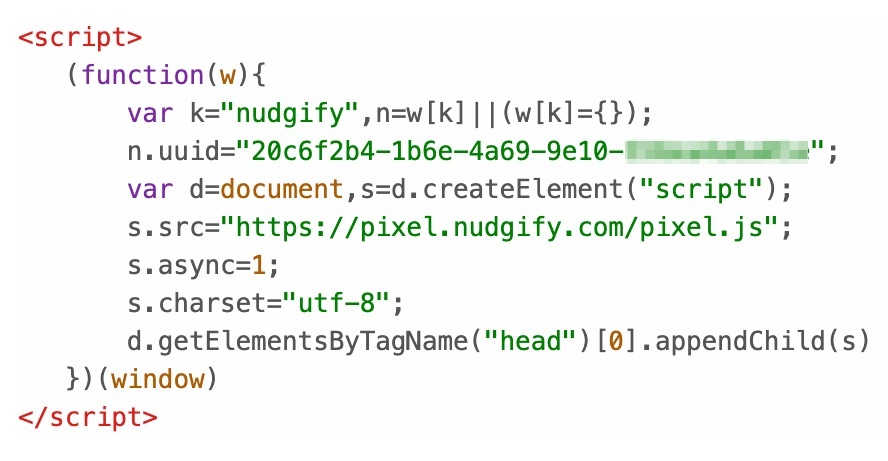
Each website you add Nudges too will have its own unique Nudgify Pixel to install. It usually looks something like this:
What does the Pixel do?
- Displays Nudges: It loads your notifications on the pages you choose.
- Tracks Performance: It counts how many people see and interact with your Nudges so you can see your results in your Statistics dashboard.
- Powers Popularity Nudges: It tracks real-time visitors to show others how busy your store is.
Where can I find my Nudgify Pixel?
You can find the Pixel of your site(s) on your Sites & Organizations page. On this page, you see an overview of the websites you are using Nudgify on. You can see the Pixel of each of your sites by clicking on the < > icon.

How do I install my Nudgify Pixel?
Shopify Users: You don’t need the Pixel! Simply install our [Shopify App] for a 1-click setup.
One-Click Platforms: If you use one of the platforms below, you can install Nudgify without touching any code:
The step-by-step guide for installing your Pixel can be found in the Getting Started documentation.
You can also access the instructions with the following links:
- Install Nudgify with WordPress/WooCommerce
- Install Nudgify with Wix
- Install Nudgify with BigCommerce
- Install Nudgify with Magento 1
- Install Nudgify with Magento 2
- Install Nudgify with ClickFunnels
- Install Nudgify with Blogger
- Install Nudgify with Lightspeed
- Install Nudgify with Kartra
- Install Nudgify with Strikingly
- Install Nudgify with Google Tag Manager
- Install Nudgify Manually (for other sites)
Does the Pixel slow down my website?
No. We designed the Pixel to load asynchronously. This means it waits until your main content is finished loading before it starts working, ensuring your website speed remains lightning-fast.
